
Plumb
Know what deleting really gives back
A native Mac app for Apple silicon, built for developers first. It measures developer caches, toolchains, app data and the build folders in your projects.
29
Built-in protection rules. No setting, flag or environment variable turns them off.
Plumb won’t show a number it can’t back up.
Numbers you can act on
Real footprint
Sizes come from the blocks a file actually occupies, so a sparse file like Docker’s disk image shows its real footprint.
What deleting returns
What deleting would return comes from APFS’s own per-file private-size figure, so clones aren’t counted as space you’d get back. The figure is a floor, never an overestimate.
Shown as minimums
Hard links are counted once. Unreadable folders are flagged, and any total that depends on them is shown as a minimum (≥), never as zero.
Three free-space figures
The three free-space figures macOS reports for one disk, side by side and labelled, including the one Finder shows.
Snapshot aware
When APFS local snapshots exist, Plumb says so and holds back the freed figure instead of printing a misleading number.
Restore from inside
Set-aside items can be restored from inside the app, with a preview before anything moves.
How a cleanup runs
Illustrations
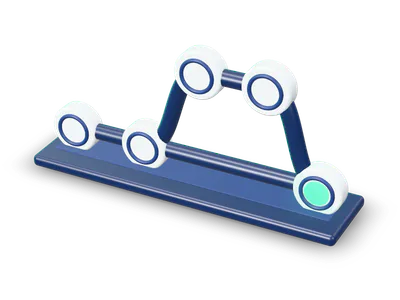
Measure
Two figures per item: the space it takes up, and what deleting it would give back. Clones share blocks, so they give back far less than they seem.
Review
Every item sorted into one of four classes and listed. Anything unclassified is refused, with the reason.
Dry run
Return only ever runs the dry run. It shows what would happen and changes nothing.
You decide
The step that deletes or sets files aside is separate, and you start it. Freed and set aside are never added together.
What Plumb won’t do
Most of these can’t be switched off.
- No removal without review
- Nothing goes until you’ve seen every item and run a dry run.
- Protection rules stay on
- Built-in rules cover Photos, Mail, Messages, Notes, iOS backups, keychains, SSH, GPG and cloud credentials, private keys, password vaults, .env files, VM disks, Docker volumes, database folders, cloud-synced folders, AI agent transcripts and backups.
- Unsaved work is off limits
- Anything inside a git repository with uncommitted changes, unpushed commits or a stash is refused.
- Open files are off limits
- Plumb refuses files a running app has open, names the app and never offers to quit it. Without root it can’t check some processes, and it shows how many.
- No cloud downloads
- iCloud placeholders are never downloaded, and cloud-synced folders are never touched.
- Project folders are only set aside
- node_modules folders and Python virtualenvs, and only when the lockfile or pinned requirements are present and nothing inside has changed for 7 days.
- No scare tactics
- No health scores, gauges, countdowns or “your Mac is at risk” warnings.
- No admin password
- No background service and no login item either.
- No telemetry
- The current source has no networking code: no analytics, no telemetry, no account. Licence keys are checked offline.
What you need, and what it costs
Requirements
- A Mac with Apple silicon. There is no Intel build.
- A current version of macOS. We’ll confirm the minimum before release.
- Full Disk Access for complete figures. Without it, scans still run and show minimums.
LicenceProprietary
Pricing
PlannedOne-time purchase, no subscription
Personal
$39
3 Macs, 1 year of updates
Lifetime
$69
3 Macs, updates for life
Family
$99
5 Macs
- Scanning, review, dry run and restore are free, with a free cleanup allowance.
- Planned prices. They may change before launch.
Questions
Can I buy or download Plumb today?
Not yet. Join early access and we’ll email you when there’s a build to try.
What does "set aside" mean?
node_modules folders and Python virtualenvs are moved into a quarantine inside Plumb instead of being deleted, and can be restored with a preview. They stay on the same disk, so they free no space until the quarantine is emptied, which the current development build can’t do yet.
More from us
All products
Try Plumb first
Leave your email. We’ll write when there’s a build to try.
Joining costs nothingLeave the list any time